The problem: expensive and time-consuming product photos
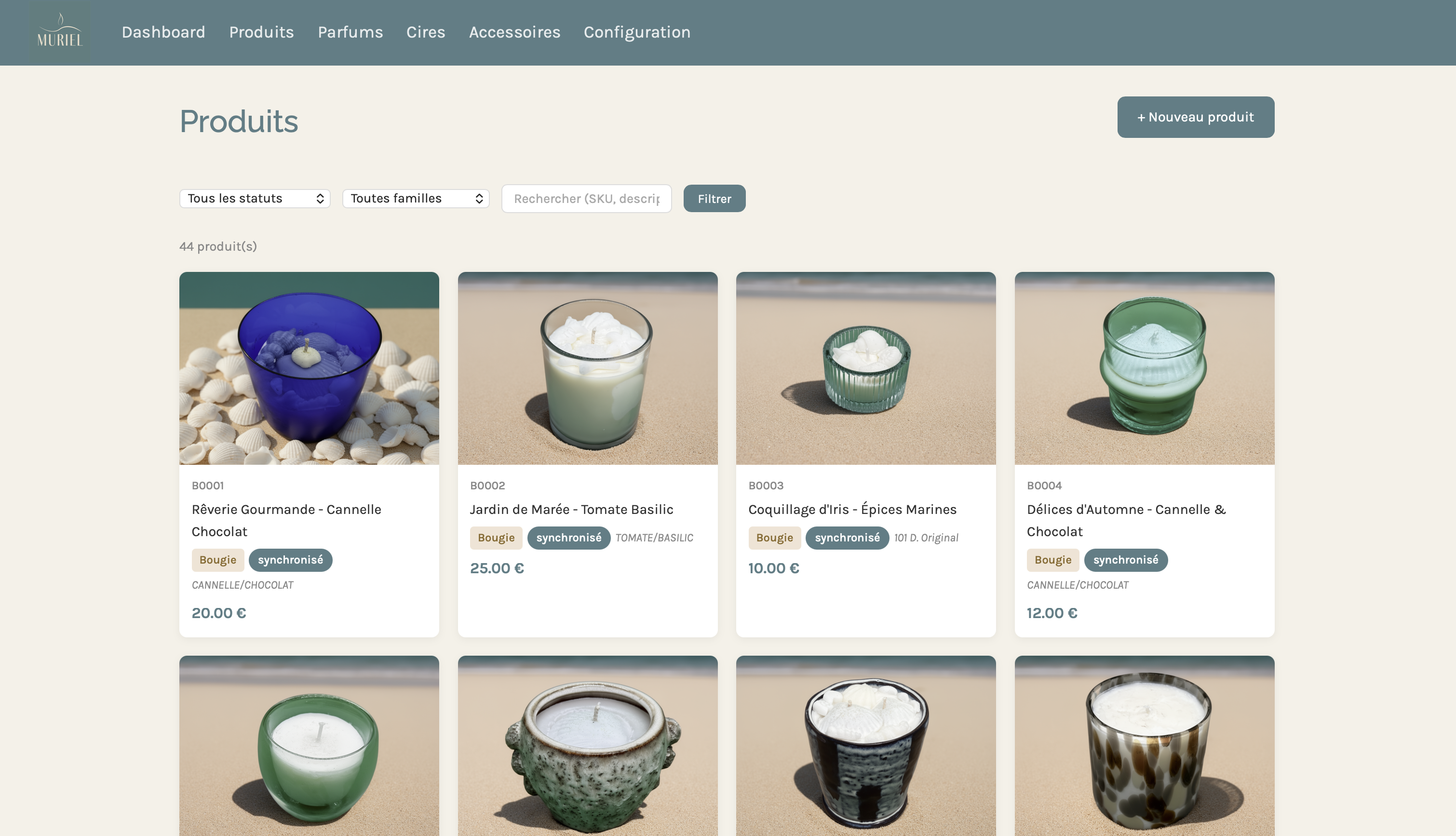
bymuriel.fr is an artisan shop from Brittany, France, specializing in premium candles and scented wax melts. Each product comes in multiple visual moods — sand, bohemian, seashells — to match the brand's universe inspired by the Breton coastline.
The problem: shooting 44 products in 3 different moods means 132 photo sessions. For a small artisan brand, that's simply not feasible — neither in time nor budget.
The solution: an AI image generation pipeline, integrated directly into the product management backoffice, that automatically produces visuals from a simple white-background photo.
Pipeline architecture
The system relies on three components working together:
1. A custom Node.js backoffice
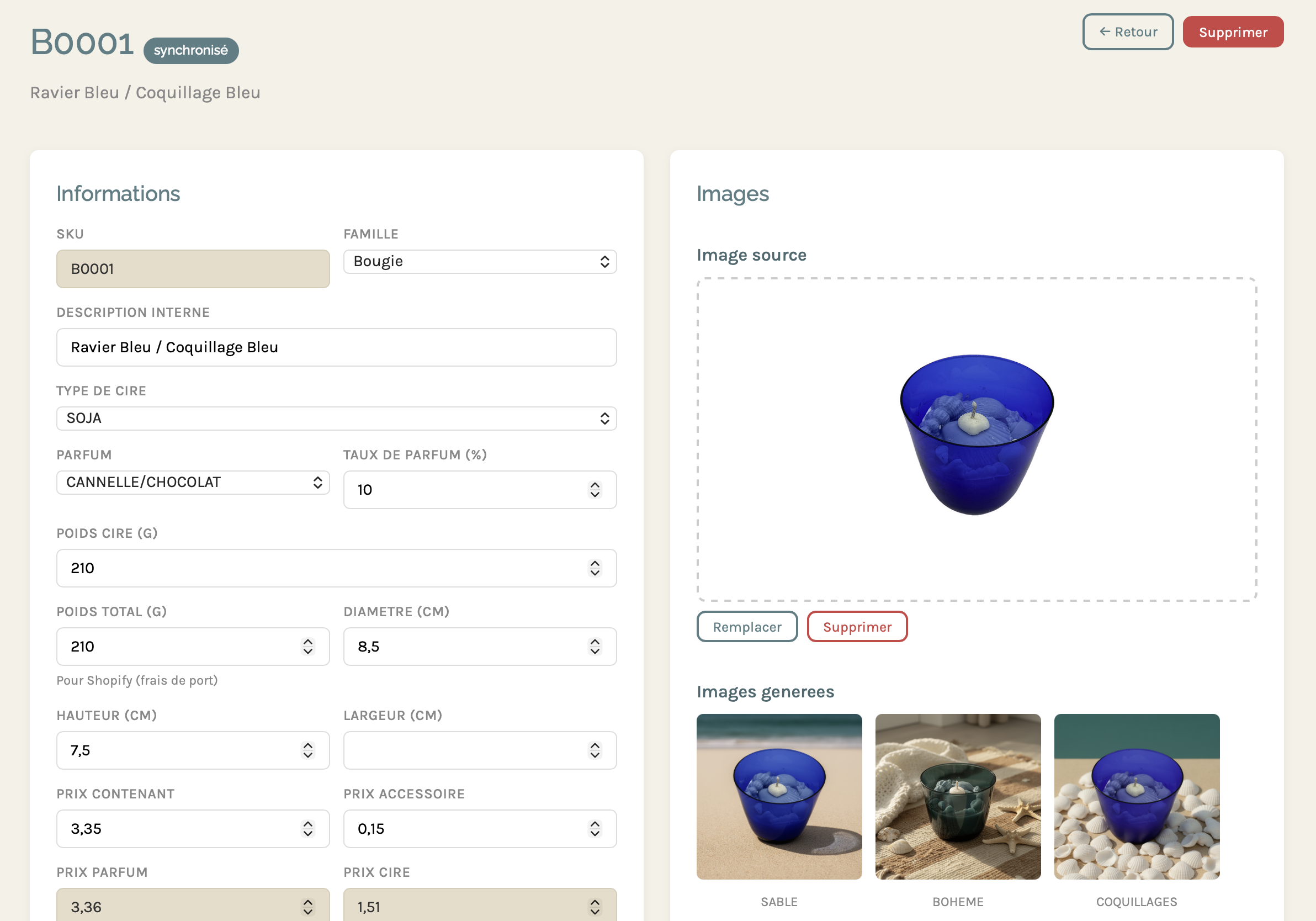
Rather than using the native Shopify interface, I developed a dedicated backoffice that centralizes product management, fragrances, waxes, and generation configuration. It's from this interface that Muriel manages her entire catalog — and triggers image generation.
2. ComfyUI + Flux2 on DGX Spark
The generation engine runs on an NVIDIA DGX Spark. ComfyUI orchestrates the Flux2 workflow: it takes the product's source image (white background), removes the background, and recomposes the scene with one of the defined backdrops. The DGX Spark ensures fast inference even on complex workflows.
3. The Shopify API
Once images are generated and validated, the backoffice automatically syncs the visuals to the store via the Shopify API. Each product goes through several statuses:
The workflow in practice
Step 1 — Upload the source image
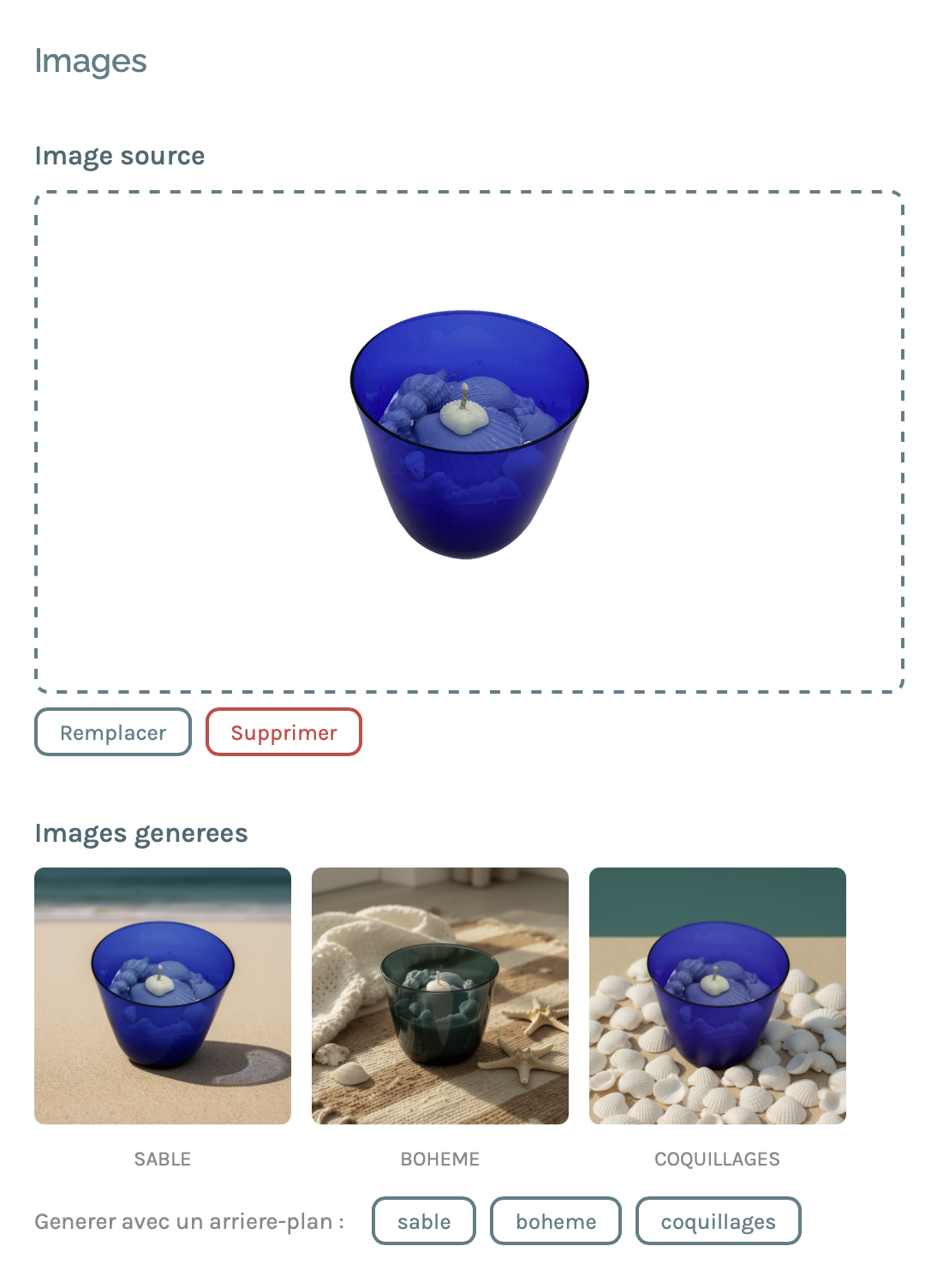
Muriel photographs each product on a white background, simply with her phone. She uploads this image to the product page in the backoffice. That's the only manual step in the process.
Step 2 — Generating the visuals
With a single click, the backoffice sends the image to the DGX Spark. ComfyUI runs the Flux2 workflow with three distinct background prompts:
- Sand — fine beige sand surface, soft natural lighting, gentle shadows
- Bohemian — woven rug, white blanket, seashells and starfish as accessories
- Seashells — bed of white scallop shells, clean lighting
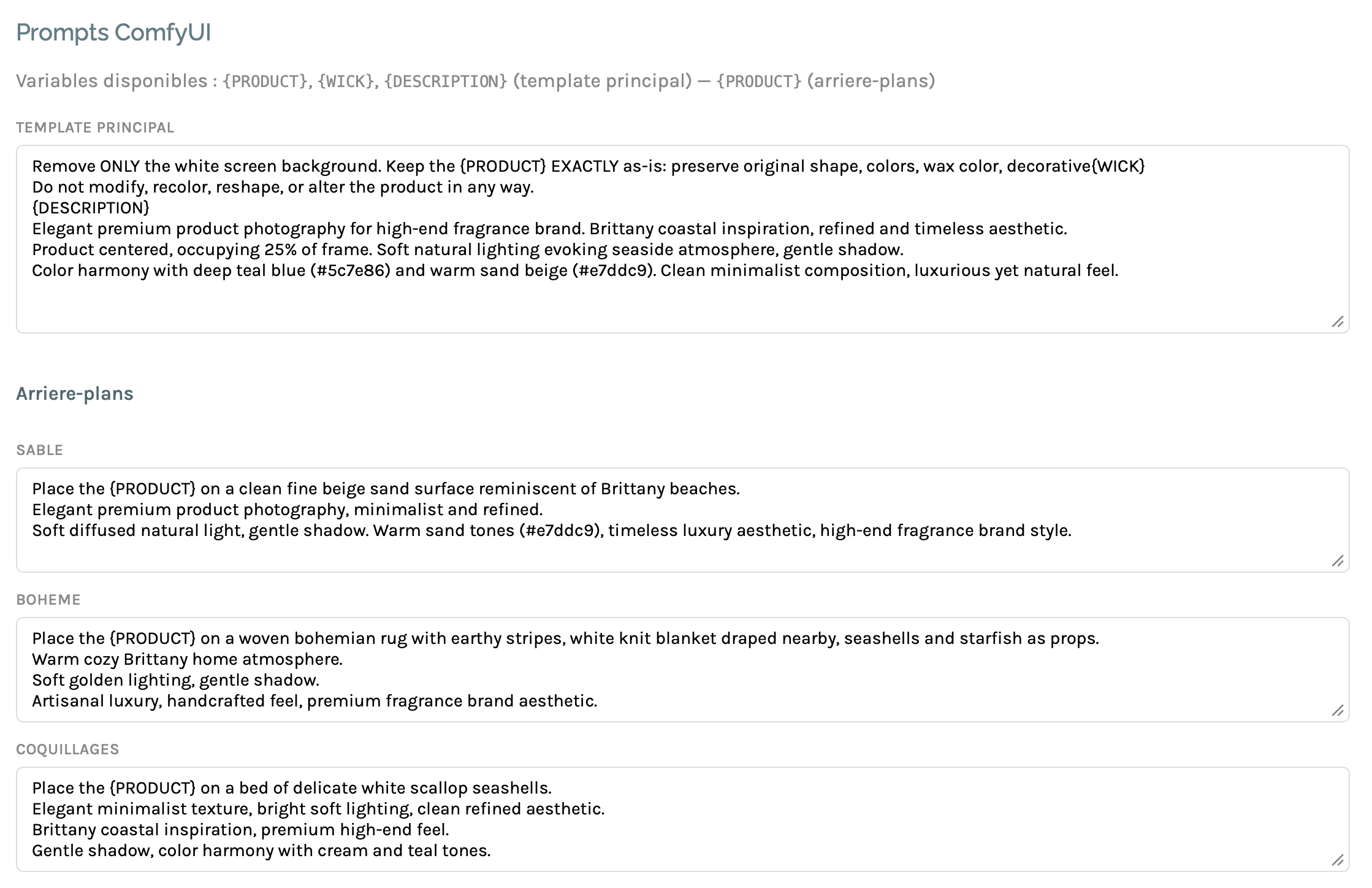
Each prompt is crafted to keep the product strictly intact — container color, wax color, wick — and only modify the environment. This is the main challenge of this type of workflow: preventing Flux2 from "reinterpreting" the product.
The result: 3 professional-quality visuals generated in a few minutes per product.
Step 3 — Generating product descriptions
In parallel, the backoffice generates Shopify descriptions via an LLM (Claude Sonnet, Mistral, or a local model via Ollama depending on preference). The prompt includes Muriel's brand context, the fragrance's olfactory notes (top, heart, base), technical specifications (weight, wax type, fragrance load), and the brand's style guidelines.
The response is structured as JSON { title, description_html } and directly injected into the product page, ready for Shopify.
Step 4 — Shopify sync
Once the product is validated (visuals + description), syncing to Shopify is triggered with a single click. The status changes to "synced" and the product is live.
Technical challenges
Preserving the product intact
This is the number one issue with diffusion models: they tend to modify the product itself — change the glass color, add reflections that don't exist, distort the container's shape. The solution involves a very precise prompt and explicit instructions not to touch the product, combined with a masking technique that isolates the product from the background before composition.
Adapting prompts per product family
A candle, a wax melt, and a wax burner don't photograph the same way. The wax burner in particular is a two-part object — the wick-less wax tablet in the upper tray, the tea light candle in the lower chamber. ComfyUI prompts are configurable per family directly in the backoffice, without touching any code.
Speed on DGX Spark
Generating 3 images per product for 44 products means 132 inferences. On a consumer GPU, a model like Flux2 simply won't fit in memory. On the DGX Spark, the entire batch completes in minutes.
The result
44 products × 3 moods = 132 professional visuals, generated in a few days of development and a few minutes of generation time.
The benefit is twofold for Muriel: no more photography budget, and most importantly the ability to add a new product to her catalog in complete autonomy — upload the photo, click "Generate", validate, sync to Shopify.
Tech stack
What this project illustrates
This type of pipeline — LLM + diffusion + e-commerce API — is exactly the kind of project that seemed reserved for large brands 18 months ago. Today, with ComfyUI, Flux2, and models accessible via API or locally, it becomes realistic for a small artisan business.
The real work isn't in the model itself. It's in the integration: understanding Muriel's business workflow, building the interface that fits her habits, calibrating the prompts for her brand's visual universe, and connecting all the components reliably.
That's exactly what I do at haruni.net — turning AI technologies into operational tools for real-world projects.